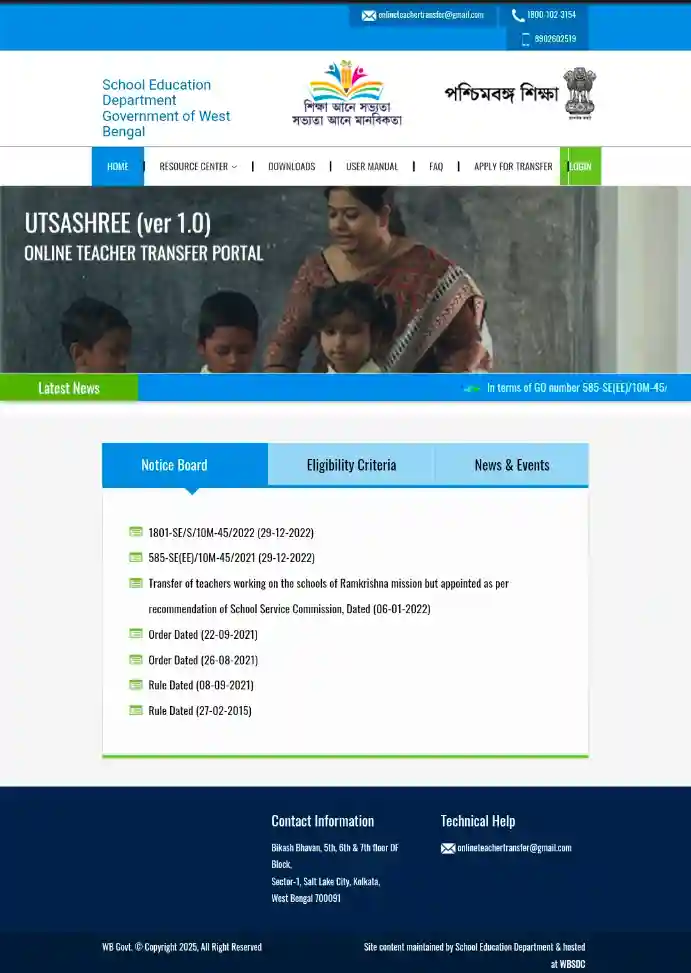
After a long suspension, the facility for teachers to submit transfer applications via West Bengal’s ‘Utsashree’ portal has been reinstated. Teachers from government-aided schools and non-teaching staff can apply for transfers through this portal. Information regarding transfer applications and other related details can be accessed at the portal: banglarshiksha.wb.gov.in/utsashree. The portal facilitates various types of transfers, including general transfers and mutual transfers.
Additionally, one can review eligibility criteria and relevant guidelines before applying. Once an application is submitted, the progress of the transfer process can be tracked through the portal.
Utsashree Portal for Teacher Transfer in West Bengal
The Utsashree Portal was closed since 29 September 2022 and was later extended at various times. Then on 30 June 2026, the Primary Education and Secondary Education Branch of the School Education Department issued a notification to reopen the portal. After the portal was reopened, teachers and non-teaching staff have been given the opportunity to apply for transfers. Various types of transfers like General Transfer, Mutual Transfer and Special Transfer can be applied for through this portal.
Teachers or staff who are in need of transfer and who meet the eligibility criteria for transfer can apply by logging in to the portal banglarshiksha.wb.gov.in/utsashree. Transfer applications can be submitted through this portal in a few easy steps. It is advisable to check your eligibility, required documents and other rules before applying. Latest information and necessary instructions regarding transfer will also be available on this portal.
| Portal Details | Information |
|---|---|
| Portal Name | Utsashree Portal |
| State | West Bengal |
| Main Purpose | Online Teacher Transfer |
| Portal Re-Opening Date | 1 July 2026 |
| Who Can Use It | Teaching and Non-Teaching Staff of Government and Government-Aided Schools |
| Application Method | Online |
| Official Portal | banglarshiksha.wb.gov.in/utsashree |
Eligibility Criteria for Teacher Transfer Application
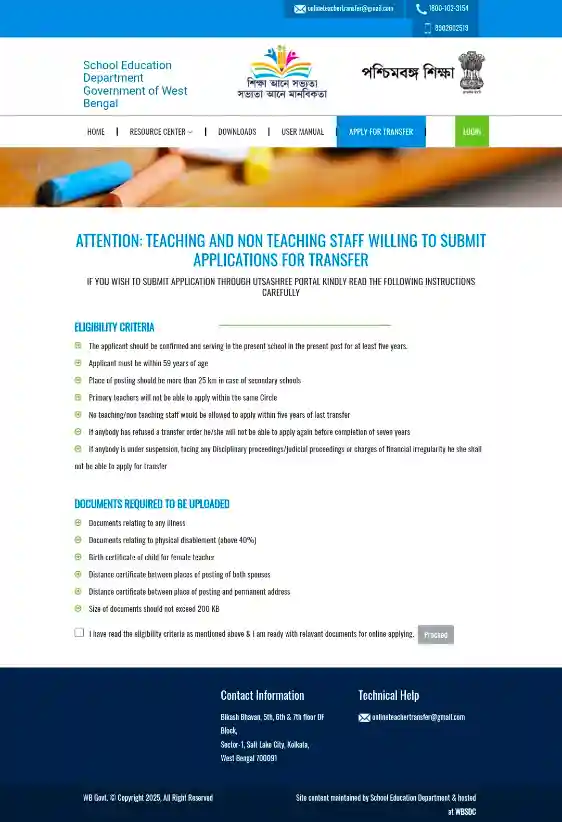
- The applicant must have completed at least 5 years of service in the current school.
- The age of the teacher should be less than 59 years at the time of application.
- In case of secondary schools, the distance from the current posting should be more than 25 km.
- A primary school teacher cannot apply for transfer within the same circle.
- A teaching or non-teaching employee cannot apply for transfer if he has not completed 5 years in one place.
- If an application has been rejected earlier, that employee will have to wait until he completes 7 years for the next application.
- An employee who is under suspension, or has a Judicial/Disciplinary Case or Financial Irregularity case against him, he cannot apply for transfer.
Required Documents
- Proof of health-related issues or illness.
- Proof of disability exceeding 40%.
- Birth certificate of the female teacher’s child.
- Proof of the distance between the husband’s and wife’s workplaces.
- Proof of the distance between the permanent address and the current workplace.
- The file size for each document must be kept within 200 KB when applying.
Utsashree Portal Teacher Transfer: Online Application & Login
Eligible teachers and non-teaching staff can submit their transfer applications through the official Utsashree Portal. For this, first, you have to log in to the portal with some necessary information and start the application process. Below is the complete step-by-step application process.
- First, log in to the official portal banglarshiksha.wb.gov.in/utsashree/.
- After going to the home page of the portal, click on the “Apply for Transfer” option and proceed to the next step.
- If you want, you can also open the application page directly by going to this link banglarshiksha.wb.gov.in/utsashree/page/teacher_transfer.php.
- This page will provide information about the eligibility criteria and documents required for transfer. Please review them carefully, agree to the terms and conditions and then click on the “Proceed” button.
- Then the Login Page for teachers will open on the screen. There you have to select OSMS Type and enter the 8 digit OSMS Unique Code of the teacher.
- Then enter the PAN Card Number and Captcha Code and click on the Login button. After waiting for a while, you will be able to enter your account.
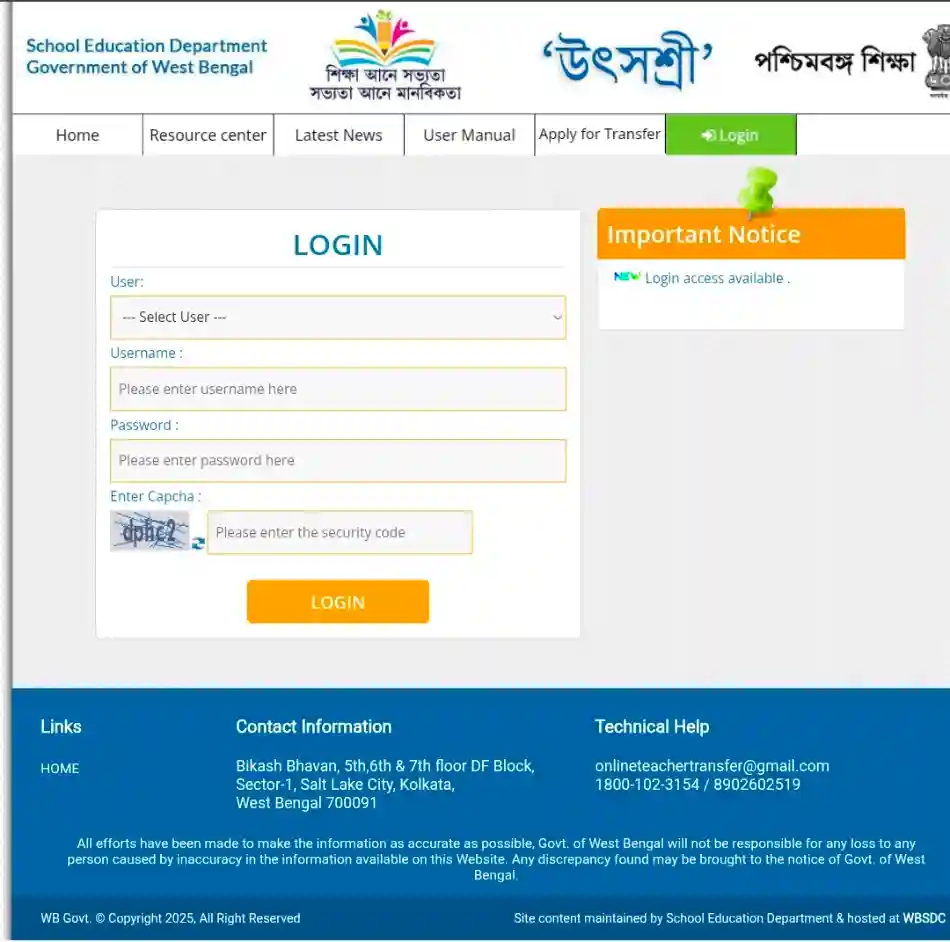
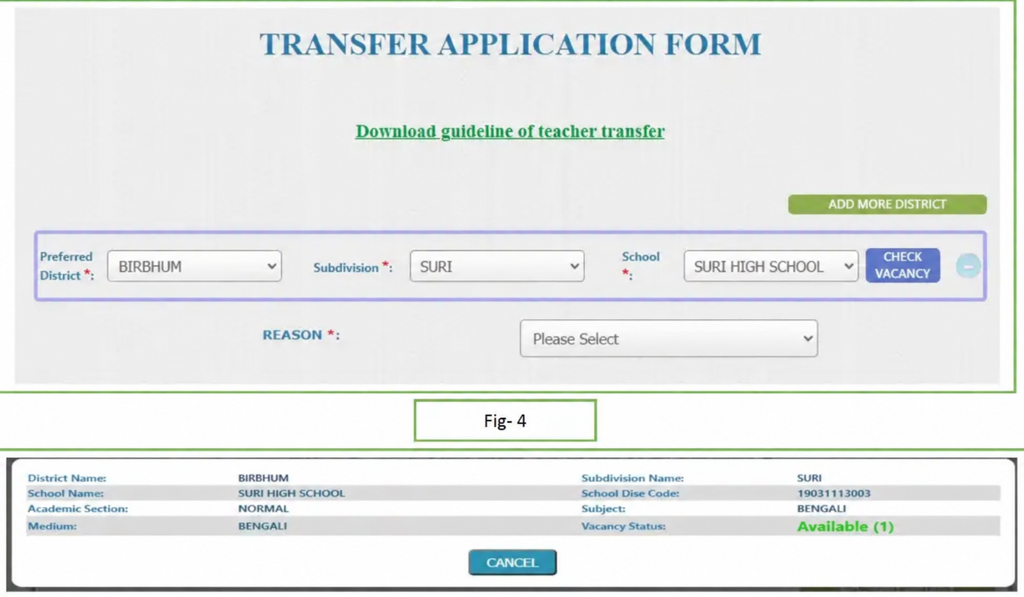
- After logging in, open the application form and fill in the required information. Then select the reason for your transfer, upload all the required documents and submit the application to complete the transfer application.
How to Check Utsashree Teacher Transfer Application Status
If you have already applied for transfer through Utsashree Portal, you can check the current status of your application online later.
- First, go to banglarshiksha.wb.gov.in/utsashree/page/login.php and login.
- Then, log in to your account using the Login Credentials you used while applying.
- After logging in, the current status of your transfer application will be displayed on the screen. There, you will also know whether your application is Pending, Approved or Rejected.
- Complete User Manual: Visit the official User Manual page to see detailed guidelines regarding teacher transfer on Utsashree Portal. Utsashree User Manual
Department Helpline
| Contact Details | Information |
|---|---|
| Department Helpline | Teacher Transfer Support |
| Official Email ID | onlineteachertransfer@gmail.com |
| Helpline Numbers | 1800-102-3154, 8902602519 |
| Official Portal | banglarshiksha.wb.gov.in/utsashree |
| User Manual | Utsashree Teacher Transfer User Manual |