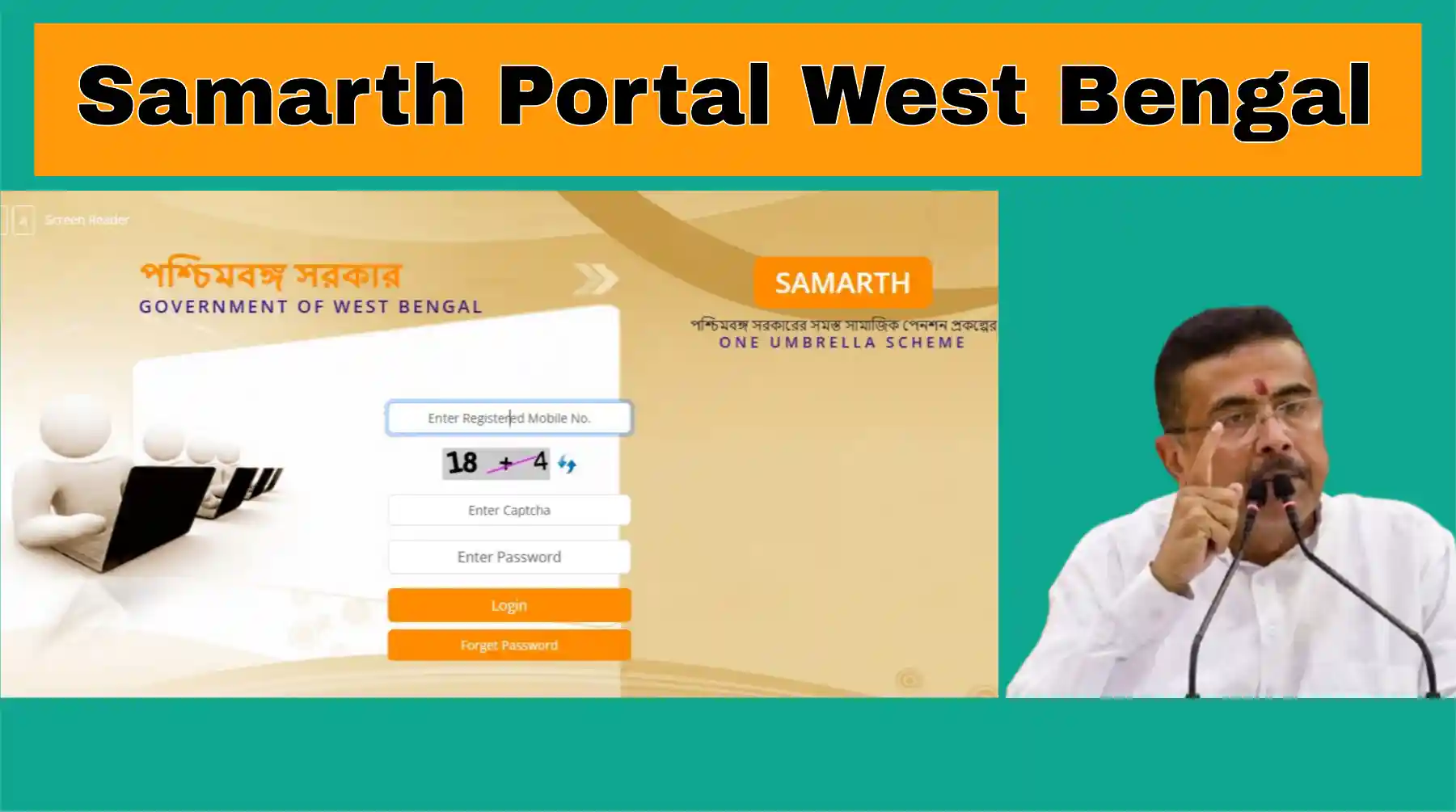
‘Samarth’ is a new web portal launched by the West Bengal government; it is also promoted as the ‘One Umbrella Scheme’ portal. The primary objective of this portal is to provide information regarding pension schemes, application progress and status, and payment details, as well as to track pension disbursements. Prior to the launch of this portal, individuals had to visit government offices repeatedly to inquire about the status of their applications from officials. Now, with the introduction of the Samarth portal, you can easily check your application and payment status using your application ID, Aadhaar number, or phone number.
Samarth Portal West Bengal
The ‘Samarth’ portal offers a range of services. Through this portal, you can track multiple pension schemes and the status of applications related to them. It allows applicants who have applied for a pension scheme to easily monitor the progress of their applications. As the name suggests, the portal provides comprehensive information on the social security schemes implemented by the Government of West Bengal for individuals. Applicants can easily track their application details by providing just basic information.
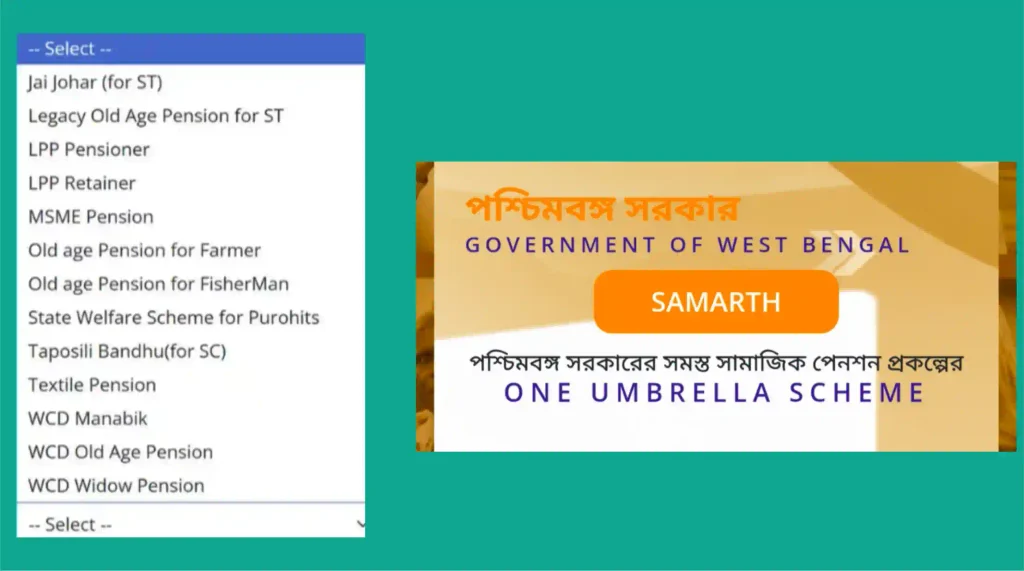
The BJP government launched the ‘Samarth’ portal after defeating the TMC government in West Bengal. Data regarding all pensioners will be compiled and made available on this single portal. Information concerning various pension schemes—such as those for Scheduled Castes, Scheduled Tribes, indigenous communities, the elderly, widows, and persons with disabilities—can be found here. This portal is being developed by the National Informatics Centre (NIC).
Schemes Data available on Samarth Portal
- MSME Pension Scheme
- Jai Johar Pension Scheme for SC
- Tapashili Bandhu Pension Scheme for SC
- WCD Old Age Pension
- WCD Widow Pension
- WCD Manabik Pension
- Bastu Pension Scheme
- Fishermen Old Age Pension
- Farmers Old Age Pension
- LPP Retainer Pension Scheme
- Old Age Pension for SC
- State Welfare Pension Scheme for Priests
Information required to check details
- Applicant’s Aadhaar Number
- Beneficiary ID
- Mobile Number
How to Track One Umbrella Pension Status Online
Checking the current status of your application on the Samarth portal is a very simple process. To find out the current stage of your application, you simply need to follow a few easy steps.
- First, visit the official website: samarth.wb.gov.in.
- You will see a login option on the home page. However, if you wish to check the application status directly, select the ‘Track Application Status’ option.
- A new page will then open. At the top of the page, you will see two options: ‘Track Applicant’ and ‘View Payment Status’.
- Select the ‘Track Applicant’ option to check the status of your application.
- Next, select the name of the scheme.
- Then, choose one of the available options to search for the status. Typically, applicant details can be retrieved using the Beneficiary ID, Mobile Number, or Aadhaar Number.
- After entering the required information, click on ‘Search’ or ‘Submit’. You will then be able to view the current status of your application on the screen.
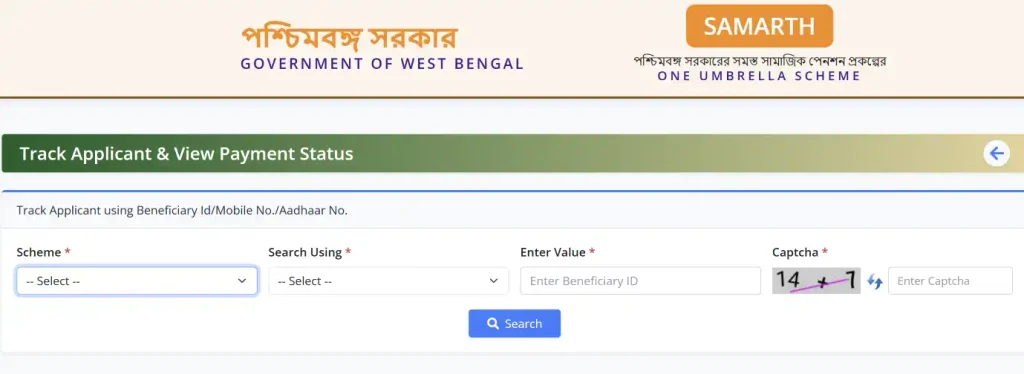
- After selecting it, enter the selected information in the next box. For example, if you select mobile number, then enter your mobile number. Then fill in the displayed captcha code correctly.
Note: Since it is convenient to check mostly with Aadhaar card number, I would recommend checking with Aadhaar card.
- After providing all the information, click on the Search button. Within a few seconds, various information related to your beneficiary will be displayed on the screen. There you can see the beneficiary ID, applicant name, address, current banking information, current status of the application and payment status.
- If ‘Approved’ is seen in the Current Status section, then it should be understood that your application has been approved. After that, the pension money can be deposited in your bank account as per the prescribed process.
- If you have not received the pension money even after the application is approved, then you can click on the ‘View’ button under Payment Status to view the detailed information of the payment.
- Clicking on the View button will open a new page. There you can know the date on which the payment was released and the current status of the payment.
- Also, you can view the payment history for the entire financial year. You can use the option to change the Financial Year as needed to view payment information for the previous fiscal year.
Samarth Portal Login Process
- If you want to login to West Bengal Samarth Portal directly, then first go to the home page of Samarth Portal. Then enter your registered mobile number.
- Then fill the captcha code given on the screen correctly and enter it in the designated box. Now enter your password and click on the Login button. If the correct information is given, you will be able to login to your account.
- If you forget your password, then click on the ‘Forgot Password’ option. Then request for OTP by providing the required information. After verifying the OTP, you can set a new password as per the instructions and login again.
One Umbrella Portal West Bengal
First, visit the official website: samarth.wb.gov.in.You will see a login option on the home page. However, if you wish to check the application status directly, select the ‘Track Application Status’ option.A new page will then open. At the top of the page, you will see two options: ‘Track Applicant’ and ‘View Payment Status’.Select the ‘Track Applicant’ option to check the status of your application.Next, select the name of the scheme.Then, choose one of the available options to search for the status. Typically, applicant details can be retrieved using the Beneficiary ID, Mobile Number, or Aadhaar Number.After entering the required information, click on ‘Search’ or ‘Submit’. You will then be able to view the current status of your application on the screen.
FAQs
West Bengal Samarth Portal is an online platform to get information related to applications and beneficiaries of various social security pension schemes at one place. Through this, applicants can check the current status of their applications.
There are generally 3 options to check pension status on Samarth Portal—By Beneficiary ID,By registered mobile number, By Aadhaar number
Samarth Portal has the facility to check information and status of various social security pension schemes from one place. Hence it is referred to as a ‘One Umbrella Portal’ for information on various pension schemes.
1 thought on “Samarth Portal West Bengal: One Umbrella Scheme for Easy Access to Government Welfare Services”